

Identify the source notation
Open IPA notation converter and choose IPA → X-SAMPA. Paste the IPA input shown above into Your phonetic notation, or select Try an example. The result updates as you type; there is no upload or conversion queue.
This tool expects an existing transcription. Pasting the English word cheese would not ask it to find the word’s pronunciation. For that task, use English to IPA first and review its word choices. Here, our starting text already contains phonetic symbols and marks.
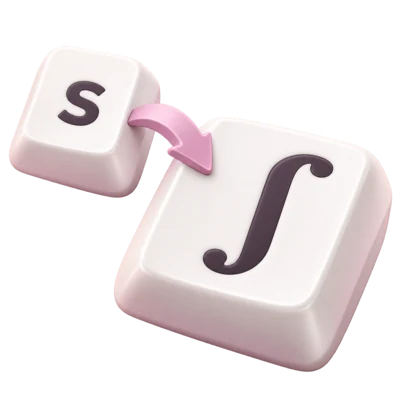
Notice the exact direction. X-SAMPA uses ordinary keyboard characters as codes: capital S means ʃ, while lower-case s means s. A backslash is meaningful too. Choosing the wrong source system can produce output that looks phonetic without expressing your intended input.
Compare the details, not just the letters
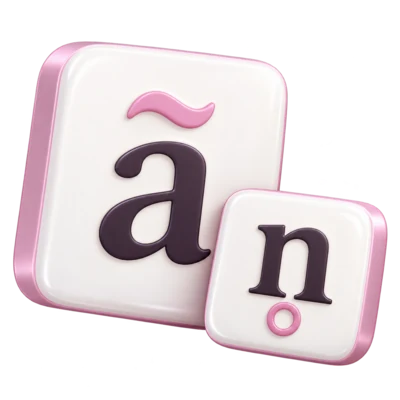
In the result, the primary stress mark becomes a double quote, ʃ becomes S and the length mark becomes a colon. The syllabic mark after n becomes _=. The modifier ʰ becomes _h, while the combining tilde after a becomes ~. Brackets and spacing remain as typed.
Open Supported X-SAMPA mappings to inspect the implemented equivalents. The tool matches longer codes first, so a backslash sequence is not split into unrelated shorter codes. This matters for symbols such as r\ and r\`, which differ from the plain r code.
These examples show notation operations. They do not establish the pronunciation of a speaker, the phonemic inventory of a language or the correct level of transcription for a research task. The point is to retain a distinction you have already chosen.
Review anything that stays highlighted
The worked example has no unsupported items. To test the review behavior separately, add an unfamiliar character such as 🧪. It remains in the result and receives a conversion note. Removing the character from the input removes the corresponding review item.
Keeping unknown material prevents silent deletion, but it also means that a result can contain mixed notation. Copy result and Download text preserve those highlighted items. Resolve them or document why you retained them before handing the file to a program that requires a strict ASCII phone set.
Aliases and linked symbols can also limit reversibility. This tool accepts both = and _= for syllabicity and emits _=. It accepts _~ as an alternative nasalization code and emits ~. A below tie bar uses the same linking code as an above tie bar, so it returns above. Preserve the original whenever exact encoding is important.
Use ARPABET with its English limits
Select ARPABET (English) → IPA and Try an example. ARPABET phones are separated by spaces. The sample SH IH1 P becomes ʃ ˈɪ p, retaining those spaces. The 1 is primary stress on the vowel phone, displayed immediately before the vowel nucleus. This converter does not move it to an inferred syllable onset.
The ARPABET direction uses the 39-phone CMU English inventory. Vowel suffix 0 is unstressed, 1 primary and 2 secondary. In this tool’s mapping, AH0 becomes ə and ER0 becomes ɚ. Other details such as most IPA diacritics, length marks and non-English sounds have no corresponding phone and remain visible for review.
When you convert unmarked IPA ʃɪp back to ARPABET, the result is SH IH P. A missing IPA stress mark does not tell the tool whether stress was omitted deliberately or whether the vowel is unstressed, so it does not invent a zero. If a receiving system requires every vowel to have a digit, supply that information after checking your source.
Check the return and save a useful file
Return to IPA → X-SAMPA and reload the initial example. Select Swap input & result. The converted text becomes the input and the direction reverses. This particular supported sequence returns exactly to the IPA shown above, including its two-space separators.
Swap once more to return to X-SAMPA, then choose Download text. The file is named i2speak-ipa-xsampa.txt. Open it in a text editor and compare the stress, length and modifier codes with the result in this article. Copy result is useful when you are moving the same text directly into another application.
A successful round trip checks this example’s encoding, not every possible transcription. Keep the original beside the converted file if you use ARPABET, unsupported characters, aliases or tie-bar placement that may not survive. Record the source notation and any choices you made so another person can interpret the data.
Choose the conversion you actually need
IPA or ordinary English?
Use this converter for existing phonetic notation. Use English to IPA when your input consists of written words and you need an initial pronunciation draft.
X-SAMPA or ARPABET?
Choose X-SAMPA for the broader supported IPA mapping. Choose ARPABET for workflows that specifically expect the CMU English phone inventory, then review missing stress information and unsupported details.
A plain result or mixed notation?
Unmapped items remain in the output. A highlighted result may be useful for review, but should not be described as a complete conversion to a strict notation set.
Predict a small conversion before swapping
Enter [n̩ pʰã] as IPA. Predict the X-SAMPA result, compare it with the tool, then swap back. Explain why the aspiration modifier belongs after p rather than after a.
Compare with the model answer
_= follows the syllabic consonant n, _h follows the aspirated p and ~ follows the nasalized a. These positions preserve the intended relationships.
Common questions
Why does an English word typed here produce an unexpected result?
The tool reads the characters as phonetic notation. It does not look up spelling or determine pronunciation. Use English to IPA when the starting point is ordinary English text.
Can I rely on an IPA-to-ARPABET-to-IPA round trip?
Only within the supported English subset and its stated conventions. Many IPA details have no ARPABET representation, and an unstressed digit cannot always be reconstructed from an unmarked IPA vowel. Preserve your original.
Does the converter remove unsupported characters?
No. It retains and highlights them. The copied or downloaded text includes those characters, so the result may contain mixed notation until you review it.
Why are spaces retained between ARPABET phones?
This notation tool preserves source whitespace rather than guessing which phones belong to a word or syllable. Its IPA output is a code-level rendering with stress immediately before the vowel nucleus.
Do I need to install a dictionary or send the transcription to a service?
No. These conversions use local browser rules. They do not query a word dictionary or submit your text for conversion. A separate tab draft is available when browser storage is permitted.
Sources & further reading
- J. C. Wells, University College London: Computer-coding the IPA
Primary description of the X-SAMPA approach. The tool’s supported mapping reference defines the implemented subset.
- CMUSphinx: pronunciation dictionaries
Describes phone sequences and the English dictionary context; this tool converts supplied notation rather than retrieving word pronunciations.
Put it into practice
Open IPA notation converter to try the example, then continue with the topic’s practice exercises.
Explore the practice guide