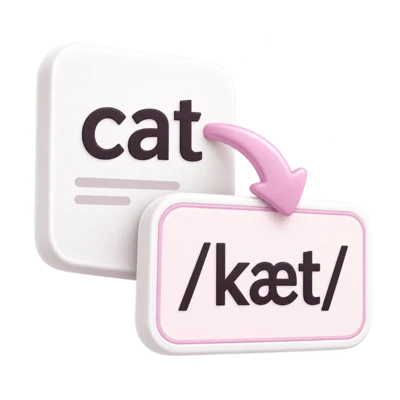
Make every word yours
Choose a pronunciation or enter your own IPA. Change one occurrence or the same word throughout your passage.


See the sounds in every word. Convert a passage, explore its pronunciations, and make the transcription your own.
Choose a pronunciation or enter your own IPA. Change one occurrence or the same word throughout your passage.
Hide the IPA, try transcribing a word yourself, then reveal its pronunciation. Work through the passage at your own pace.
Save your transcription as PDF, Word or text, export a study word list, or open every word in the smart IPA keyboard.
A useful first transcription, with you in control of the final result.
Paste English text or choose an example. Line breaks and punctuation stay in place. Spell out numbers if you want their pronunciation.
Convert, then select a word. A small number marks words with pronunciation choices. Pick the reading that fits your meaning, or type your own IPA.
Switch on Test yourself to hide the answers. Reveal words one by one, or export a word list for your next study session.
ˈ marks primary stress; ˌ marks secondary stress. They appear before the stressed syllable. Compare əˈbaʊt for about with ˈtitʃɚ for teacher: the stressed syllable falls in a different position.
This is a broad American English dictionary transcription. It uses ɹ for English “r” and ɚ for unstressed r-colored vowels. Vowel-length marks are omitted. Stress placement follows a syllable-onset rule, so dictionary conventions can differ.
Turn an English passage into a transcription you can explain. Learn to choose between dictionary pronunciations, handle unfamiliar words, read stress marks and build a useful study routine before you export your work.
Read has a past-tense pronunciation with ɛ and a present or infinitive pronunciation with i in this converter’s notation.
ˈ marks primary stress and ˌ secondary stress. Show stress controls whether these marks appear in the transcription and exports.
ə is schwa. The converter uses ɚ for an unstressed r-colored vowel, as in its dictionary output for teacher.
Here, angle brackets flag original spelling that still needs review. They are not a pronunciation or an extra IPA sound.
A dictionary gives you a starting pronunciation; your purpose determines how much more to check.
This converter looks up written words in the Carnegie Mellon Pronouncing Dictionary (CMUdict) and displays broad American English IPA. It preserves spaces, punctuation and line breaks so that you can compare the result with the original passage. It does not listen to a recording or identify a speaker’s accent. Changing the website’s interface language does not change the pronunciation model.
Read the result as a sequence of dictionary pronunciations. Ordinary speech can include reductions, linking and other context-dependent details that the lookup does not supply automatically. For a classroom exercise, follow the accent and notation your teacher requests. For a recording, compare the speech with the draft before adding any narrower phonetic detail.
The converter uses ɹ for English r, i and u without length marks, and ɚ or ɝ for r-colored vowels. Other dictionaries may use different broad conventions. Check the convention before treating a difference in notation as a difference in pronunciation.
The converted word shows a dictionary form and word stress, not the intonation of a particular greeting.
This tool’s convention uses i without a length mark and an unstressed r-colored vowel at the end.
The same letters can need different sounds in different places in a passage.
In Words view, select a word card to open its pronunciations. A small count badge shows how many different dictionary choices are available. The first option is a starting selection, not a frequency ranking or a prediction of the word’s meaning. Read the whole sentence before choosing an option, then select Apply pronunciation.
Compare “I read a book yesterday” with “I will read another tomorrow.” Yesterday makes the first read past tense, so choose ɹɛd. After will, choose ɹid for the second read. Leave Apply to the same word throughout this passage unchecked: these two occurrences require different choices.
For a missing name, specialist term or other unresolved word, select its card and enter a checked pronunciation in Your IPA for this word. The field accepts up to 160 characters and offers commonly used symbols. Your edit is a transcription decision, so use an appropriate source. Reset word returns the occurrence to its dictionary default; an unknown word becomes unresolved again.
Past tense in the first sentence.
The infinitive form in the second sentence; the spelling stays the same.
Review first, then hide, recall and save what you have learned.
Show stress displays the dictionary’s primary and secondary stress information. The converter places marks with an English syllable-onset rule because the dictionary does not provide syllable boundaries. Treat that placement as a display convention, not a separate syllable analysis. The engine omits stress marks on dictionary words with one vowel nucleus. Turning Show stress off hides the marks; it does not change pronunciation choices or make the vowels unstressed.
Use Test yourself after reviewing the passage. It hides the available IPA answers in Words view. Try a word in your notes, then select its card to reveal the stored answer; select it again to edit. Reveal all and Hide all help you repeat the exercise. This is a recall activity, not an automatic assessment of your speech or written response. Unknown words still need your attention.
Copy IPA or choose Download text, Download PDF or Download Word to save the full current transcription, including your edits and stress display choice. Download word list creates a tab-separated table with English, IPA and Status columns; unresolved entries have an empty IPA cell and a Needs review status. Edit in keyboard opens the full transcription for further editing, with the previous keyboard text available to restore. Keep a separate copy when you need a lasting record.
Turning Show stress off changes the displayed marks, not the selected sounds.
Digits remain literal. Write out the intended words if you want a number’s pronunciation.
Copy the English passage beside these steps into Your English text. Select Convert to IPA, or press Ctrl + Enter (Command + Enter on a Mac). Leave Show stress on for this exercise.
In Words view, select the first read card. Choose ɹɛd for the sentence about yesterday. Leave Apply to the same word throughout this passage unchecked, then select Apply pronunciation.
Select the read card after will. Choose ɹid, again leaving the apply-throughout checkbox unchecked. Select Apply pronunciation. Check that the two read cards now show different vowels.
Switch to Transcription view. The reviewed example below retains the first dictionary choice for every other word. Those other words may also have choices; this exercise isolates the meaning-dependent change in read.
Return to Words view and select Test yourself. Say or write the two intended readings before revealing each card. Select Finish practice when you are ready to review or export again.
Use Copy IPA for a document you already have open. From Export, choose Download PDF or Download Word for a document, Download text for plain Unicode text, or Download word list for a study table. Use Edit in keyboard when you want to continue editing the whole transcription.
Try each question, then compare your reasoning with the explanation. These exercises stay on this page and do not change your editor text.
For teaching, choose a short passage with one clear learning goal, such as homographs or word stress. Review the answers first, use Test yourself for recall, then use the word list to prepare your own exercises. The guide’s questions check understanding; the converter does not grade spoken pronunciation.
For linguistic or speech-related work, document the variety, pronunciation source and transcription convention. Broad dictionary forms can help prepare a draft, but observations about a particular speaker, connected speech or clinical features need the relevant evidence and professional judgment. Keep your manual changes distinguishable in your working notes.
Conversion, edits and exports run in the browser. A draft is restored within the tab when browser storage is available; it is not a permanent archive. Download a reviewed copy, inspect the IPA in the receiving application and keep the original English alongside it when context matters.
Listen to the IPA’s recorded chartListening opens the International Phonetic Association website. Exercises here practice notation and interpretation; they do not assess pronunciation.
It looks up words individually. Words such as read, lead, and record can have several pronunciations. Select the word and choose the one that fits your sentence. Connected-speech changes and a speaker’s exact accent need your own review.
They stay visible and are marked for review. Select a word to add its IPA manually. Unresolved words are kept in ⟨angle brackets⟩ in the transcription and exports. Numbers and punctuation remain as typed.
This edition supports American English. Interface language choices do not change the pronunciation model. You can edit the result or use the smart IPA keyboard for other accents and languages.
Yes. Copy IPA, download a PDF, Word document or UTF-8 text file, or export a tab-separated word list with English, IPA, and review status columns. The word list opens in spreadsheet software and can be adapted for flashcards. Your manual edits and pronunciation choices are included. PDF and Word downloads embed an IPA font. Edit in keyboard opens the full transcription immediately; any previous keyboard text is available to restore.
Your text is processed in your browser. We download the necessary dictionary sections from i2Speak; your passage is not submitted. A draft and your edits are kept in this tab’s session storage when available. Clear removes that saved passage. Your ordinary IPA keyboard draft remains separate.
Pronunciations come from the Carnegie Mellon Pronouncing Dictionary (CMUdict), with over 126,000 word entries. We convert its phoneme codes into IPA. The dictionary is provided as is and can contain omissions or errors.
