




Learn Smart IPA typing
Use familiar Roman letters to find related phonetic symbols without memorizing character codes. Learn to select a symbol, revisit it safely and add a length mark while keeping your transcription deliberate.
 VIDEO TUTORIAL
Type IPA with familiar letters
Choose related symbols from Smart IPA popups, add a length mark, and download Unicode text.
English narration Captions: English
Watch video
VIDEO TUTORIAL
Type IPA with familiar letters
Choose related symbols from Smart IPA popups, add a length mark, and download Unicode text.
English narration Captions: English
Watch video
What you’ll learn
- Choose a requested symbol from a Roman-letter suggestion family.
- Use the different arrow-key behavior for a newly typed letter and an existing caret position.
- Distinguish a base vowel, a length mark and transcription brackets.
A few symbols, a clearer picture
A typing shortcut
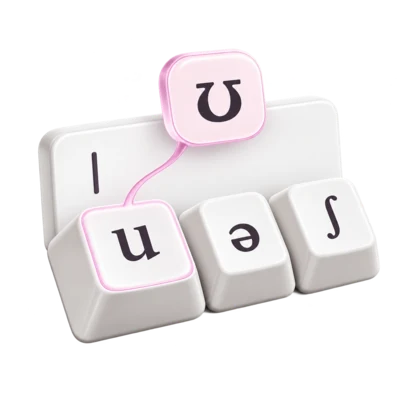
Typing u opens a family containing ʊ and ʉ; choose the symbol required by your source.
A vowel symbol
The IPA chart places this near-close, near-back rounded vowel separately from close back rounded u.
Length
The IPA length mark follows the segment whose duration is marked.
Phonetic notation
This schematic example marks a long realization of the vowel; it is not a transcription of a particular word.
Treat a letter as a search cue
The Roman trigger helps locate a symbol; it does not identify the sound for you.
Read the explanation
A familiar letter brings several symbols into reach. Typing u offers ʊ and ʉ; e opens a larger family including ə, ɛ and ɜ. These are alternatives, not interchangeable spellings. Compare the intended symbol’s IPA description before accepting it. The keyboard accelerates entry after that decision.
The families reflect legacy sound and shape associations, not official IPA classes. Some include historical forms or characters used outside the current IPA chart. Resemblance to a Roman or Greek letter is a useful memory aid, not proof that two characters have the same phonetic meaning.
Two distinct vowels appear in one typing family.
One trigger can lead to several different vowel qualities.
Choose without losing your place
New input and caret revisiting use related, but different, navigation rules.
Read the explanation
With Smart IPA suggestions enabled, a recognized trigger opens a popup. Use arrows to select a candidate, then Enter to replace the trigger. Clicking or tapping a candidate also inserts it. Escape dismisses suggestions while leaving the text intact; dismissal is not a command to delete a letter.
Moving the caret after a recognized Roman letter or related IPA symbol can reopen suggestions. Left and Right still move through existing text. Press Down to enter candidate selection, then use arrows and Enter. Caret movement alone changes nothing. After a replacement, re-read the surrounding transcription.
Accepting ʊ replaces the u trigger rather than appending a second letter.
Separate symbols, marks and analysis
Good transcription depends on the intended notation as well as the correct characters.
Read the explanation
A base symbol such as ʊ specifies vowel quality; following ː adds length. Typing a colon offers ː, but the final IPA mark is not punctuation. Other menus offer combining diacritics that attach to a preceding base. Their dotted-circle display aid is not a sound to transcribe.
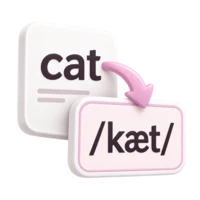
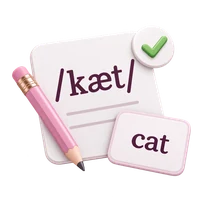
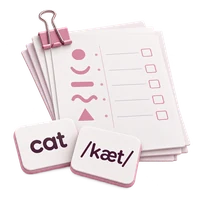
Use square brackets for phonetic notation and slashes for a phonemic analysis of a specified variety. Phonetic transcription can be broad or narrow. For real material, state the language, accent and convention. These schematic sequences demonstrate entry and symbol relationships, not the pronunciation of a word.
A schematic phonetic sequence with vowel quality and length.
Build a vowel-and-length sample
Prepare the editor
Select Smart IPA and leave Smart IPA suggestions checked. Start a fresh practice line in the editor.
Choose the vowel
Type u. Select ʊ from its popup with the arrow keys and Enter, or click the ʊ candidate.
Add length
Immediately after ʊ, type a colon. Choose the displayed ː candidate and confirm it. Check that the result is ʊː rather than two ordinary colons.
Review and copy
If you revisit the vowel with the caret, press Escape to dismiss any popup before adding literal punctuation. Add square brackets around the sample, then use Copy text.
Check your understanding
Try each question, then compare your reasoning with the explanation. These exercises stay on this page and do not change your editor text.
Using this in study or professional work
Record your language variety and transcription conventions alongside real examples. Use the Association’s linked chart and recordings to investigate sounds; the typing popup itself is not an audio or pronunciation assessment tool.
Listen to the IPA’s recorded chartListening opens the International Phonetic Association website. Exercises here practice notation and interpretation; they do not assess pronunciation.