

Set up a bounded typing task
Open Smart IPA and keep Smart IPA suggestions checked. Begin a fresh practice line and type an opening square bracket. The target here is already specified: ʊ followed by ː. You are entering a supplied notation, so there is no need to guess a pronunciation from English spelling or decide which accent an example belongs to.
Before typing a longer passage, identify its notation convention. Square brackets present phonetic material; slashes present a language-specific phonemic analysis. They are not simply a narrow-versus-broad switch. Keep the brackets requested by your source, and make a separate note of language variety when working with actual words.
Choose the vowel from u
Type u inside the opening bracket. The popup offers ʊ and ʉ. Use the arrow keys to highlight ʊ and press Enter, or click that candidate directly. The choice replaces the u trigger at this position, leaving the surrounding text alone. You should now see an opening bracket followed by ʊ, rather than the two-letter string uʊ.
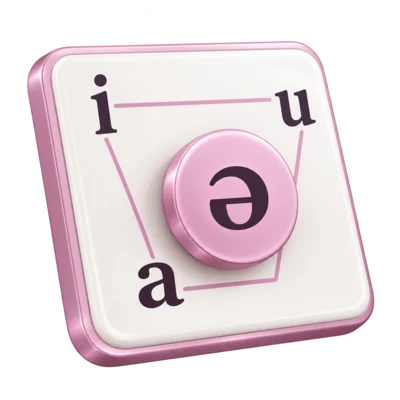
Take a moment to compare the alternatives. The chart places ʊ in the near-close, near-back rounded region, whereas ʉ is a close central rounded vowel. A shared trigger is only an input convenience. It does not make the symbols synonyms or prove that either is appropriate for a particular word.
Add the requested length
Immediately after the vowel, type a colon. Its suggestion is ː; confirm it with Enter. Type the closing bracket to finish [ʊː]. Read the pair together: the vowel letter supplies the quality, and the following length mark adds a duration distinction. Do not replace the vowel merely because you need a longer realization.
This extra confirmation is useful when a transcription contains familiar punctuation shapes. A colon typed as a cue is not automatically the final character you want to share. Check the actual editor result before continuing. The same deliberate approach applies to stress and combining diacritics, whose position and meaning must come from the source analysis.
Revisit, then save the checked result
To inspect the vowel again, move the caret immediately after ʊ. A related-symbol popup can reopen. Left and Right initially continue moving through the text; press Down to enter candidate selection, then use the arrows and Enter. Escape closes the popup without changing the text. You can therefore inspect an existing position without accepting a replacement.
Leave the checked sample as [ʊː], then choose Download text. Open the resulting i2speak.txt in a Unicode-capable text editor and compare it with the line in the browser. Retain that editable file alongside any document or image you prepare later. This final comparison checks text transfer; it does not assess whether a pronunciation analysis is correct.
Choose the right notation
Popup or a direct symbol key?
Use the popup when a Roman cue is convenient or you want nearby alternatives. Use a chart or another layout when you already recognize the target symbol visually. Either route still requires choosing the correct phonetic value.
Keep a Roman letter or accept an alternative?
Escape leaves a newly typed trigger unchanged. Accept a candidate only when your source calls for that symbol; a recognized Roman letter can itself be valid IPA notation in an appropriate context.
Change one supplied vowel
Enter the supplied close central rounded vowel ʉ with length, in phonetic brackets. Explain the one change from the article’s sample.
Compare with the model answer
Choose the other u-family vowel deliberately. This is a symbol-replacement exercise, not evidence that the two vowel qualities are interchangeable in any language.
Common questions
Why do arrows sometimes move the caret instead of the popup selection?
A popup reopened by caret movement keeps normal navigation until you press Down. A popup from newly typed input already uses arrows to choose candidates.
Can I type a whole word and have Smart IPA transcribe it?
No. The suggestions assist symbol entry at a trigger position. They do not infer pronunciation from spelling, choose an accent or analyze a recording.
What if the popup shows a similar-looking historical symbol?
Check the current IPA chart or the convention used by your source. Legacy suggestion families are practical collections, not a guarantee that every candidate is a current IPA symbol.
Sources & further reading
- International Phonetic Association: interactive chart
The distinction between vowel qualities and the phonetic meaning of the length mark.
- Unicode: Spacing Modifier Letters
The identity of U+02D0, the IPA length character, independently of an ASCII colon.
- UC Santa Barbara: Writing for Linguistics
Phonetic square brackets, phonemic slashes and the need to support an analysis with evidence.
Put it into practice
Open Smart IPA to try the example, then continue with the topic’s practice exercises.
Explore the practice guide